What A Feeling! Depression
For Gunner School, I ended up tackling a brief that I hadn't originally planned on doing: translating a feeling into an animated character. It wasn't initially on my radar because it felt too in line with the kind of animating I had been doing forever. And so it didn't seem like something I wanted to use my safe space to fail. Especially for the last brief I would do entirely on my own. But because I felt overwhelmed by the idea of digging deep in Blender for 2 weeks, I decided to change my mindset on animating a feeling.
I chose depression, sadness's chronic, more intense cousin for a number of reasons.
I wanted to tackle a complex feeling without going maudlin.
I was interested in exploring subtlety in motion
I wanted to play with character design that is less . . . character centric
Can we personify the feeling through the design itself?
This was the feeling that immediately jumped out at me, so I took that as a sign

Some classic animated characters known for depression and sadness

A Different Approach:
Taking a cue from Andy J. Pizza and his Invisible and Mysterious Things
I wanted to approach character from a different perspective and go outside of my comfort zone. I didn’t want to go for a donkey who’s depressed, but wanted to instead design a character who embodies depression, and the movement is there to amplify that.
Andy J. Pizza’s Invisible Things jumped out at me when I thought about this brief, because he anthropomorphizes feelings without necessarily taking them into the realm of humanoid or even animal figures.
How much expression and emotion can we get through a body, eyes, and maybe legs– whether 2, 4, or 8.
Andy J. Pizza’s Invisible Things jumped out at me when I thought about this brief, because he anthropomorphizes feelings without necessarily taking them into the realm of humanoid or even animal figures.
How much expression and emotion can we get through a body, eyes, and maybe legs– whether 2, 4, or 8.
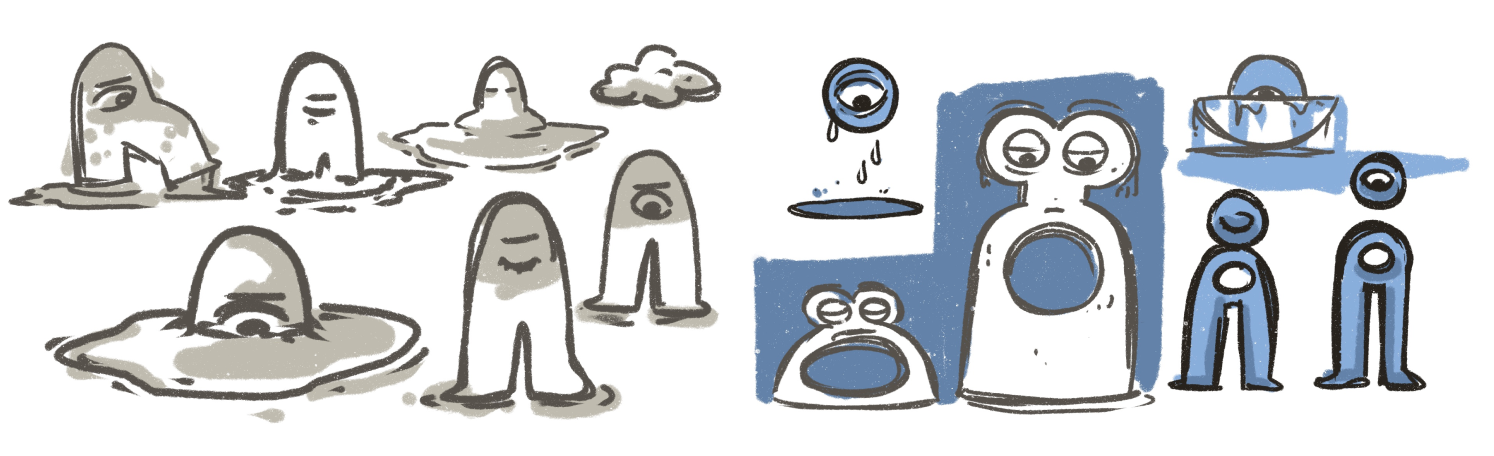
My early character explored the idea of being stuck. I loved the idea of playing up the feeling of being stuck or trapped with depression. A character stuck between 2 states: being whole and being mush capturing that immobility and paralysis that can occur. Not having arms would play up the idea of helplessness. Perhaps a physical void in the trunk, embodying the feeling of emptiness that one carries.

The design that felt the most exciting to me was this one.
There was a hint of Jim Henson to this character, and it felt approachable, not off-putting. I wanted, above all else, to avoid associating a morality to the feeling.
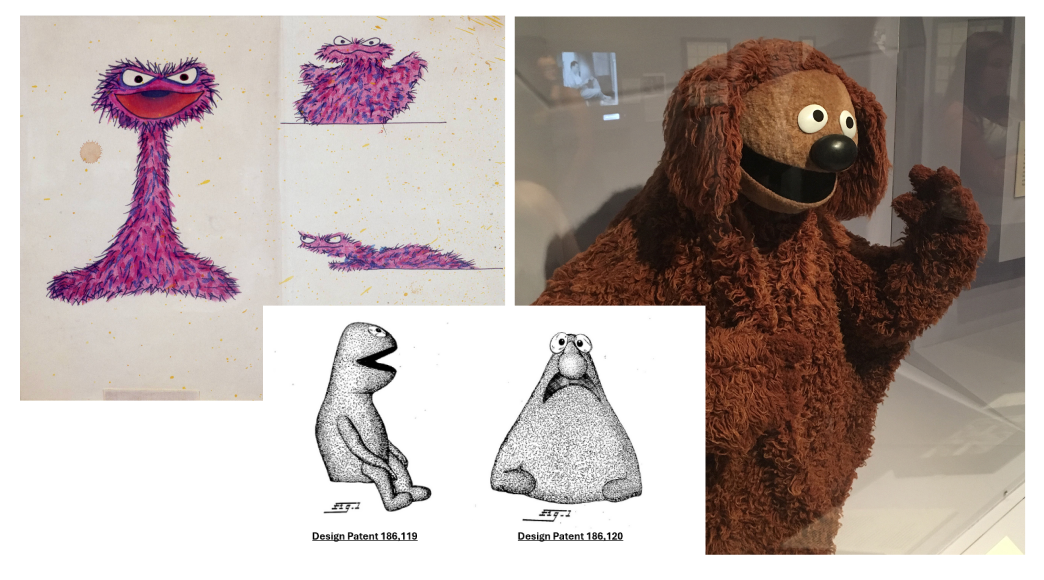
Once I started to see hints of Jim Henson in my rough character idea, I knew I wanted to take that Muppet feel and run with it.
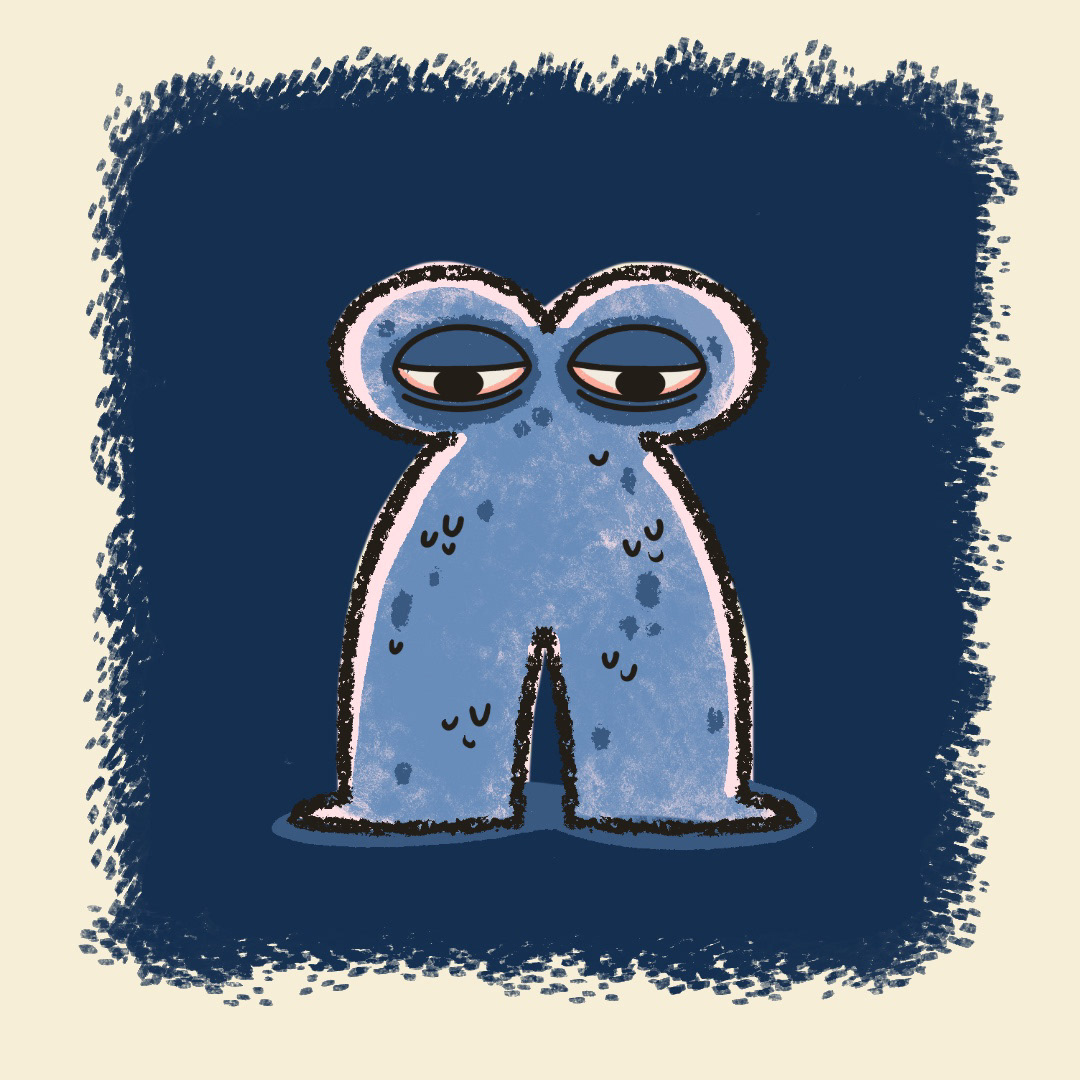
I wanted a character who felt like they were covered in a fuzzy hair, that there was a plush heft to them– a 2D version of a hand puppet. They look squishy and soft, like something you would want to hug and protect.
Jim Henson’s Muppet designs really capture that texture and warmth. Between the billowy shapes of the body to the large eyes and the synthetic fur, they have a real tactile quality. Which is how we landed here.
I wanted a character who felt like they were covered in a fuzzy hair, that there was a plush heft to them– a 2D version of a hand puppet. They look squishy and soft, like something you would want to hug and protect.
Jim Henson’s Muppet designs really capture that texture and warmth. Between the billowy shapes of the body to the large eyes and the synthetic fur, they have a real tactile quality. Which is how we landed here.

Thoughts on Approach
Because I wanted to play up the Muppet-like design of the character, I needed more texture in my brushes.
Animate does not offer many brush options, so this was a good project to experiment with Procreate Dreams.
I’d never used Procreate Dreams, so we’d dive right in with this; the simplicity of the animation would help me to get acquainted with the program.
I wanted to make use of a square format for this one. It felt more closed in and almost claustrophobic. I tried it out in 16:9 and it just didn’t feel right.
Storyboards


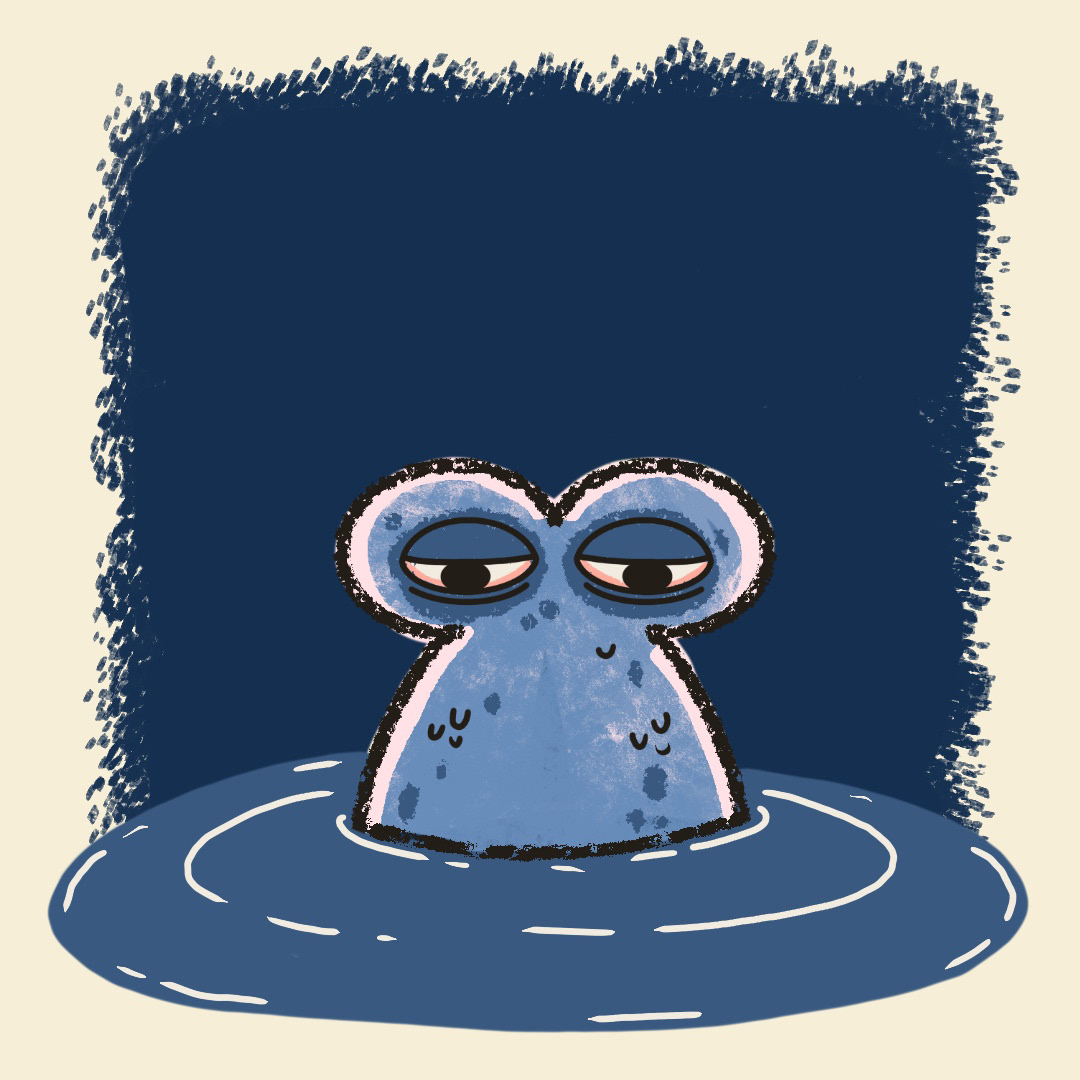
*The motif of being stuck was something very important that I wanted to keep, but getting them out of that puddle proved a challenge. To just pull back out would have seemed too easy of a solution. Once I landed on the character being pulled under entirely and dropped into a new space, but one that was exactly the same as the previous one felt like the most appropriate way to create the loop. It better captured the cycle of depression.
Style Frames
Rough Animation
For the sake of speed, I animated the rough pass in Animate. When I put together an animatic, my modestly planned 8 second loop quickly turned into a 16 second loop. The thing about depression is that it’s slow. It’s not fast moving. And the timing was going to do a lot of heavy lifting here.
So because I had to work out my timing a little more in depth than I had planned, I opted to keep that in Animate, because I can work super fast there. Procreate Dreams still had a learning curve for me. I knew I would fall into a time crunch figuring out the best way to draw in that.
Once I got this rough pass to where I felt good about it, I imported the video into Procreate Dreams to begin clean up.
So because I had to work out my timing a little more in depth than I had planned, I opted to keep that in Animate, because I can work super fast there. Procreate Dreams still had a learning curve for me. I knew I would fall into a time crunch figuring out the best way to draw in that.
Once I got this rough pass to where I felt good about it, I imported the video into Procreate Dreams to begin clean up.